Selecting an AI audio generation tool depends on your project's needs. Words into Music excels at creating complete songs with intelligible, custom lyrics. Stable Audio offers distinct capabilities for intricate instrumental soundscapes and audio manipulation.
Words into Music publishes this comparison and sells one of the products discussed. We reviewed official public pages on October 17, 2026. We did not run a matched listening test or paid competitor tests. Vendor demos are not our own test results.
Words into Music: for intelligible lyrics
Words into Music is designed to generate complete songs, prioritizing the creation of intelligible, custom lyrics set to music. You can supply your own words and expect them to be sung clearly within the generated track. This makes it ideal for projects requiring specific messages or stories articulated through sung words.
The platform provides a browser-based experience where you can transform an idea or supplied lyrics into a full song. The process begins with your words, allowing you to draft and edit lyrics before any audio is generated. This ensures the vocal content is precisely what you intend. You can guide the musical direction of your song and select from five supported languages: English, Spanish, German, French, and Brazilian Portuguese. Generated recordings typically range from one to three minutes in length. All your creations are stored in a private library, allowing you to favorite tracks, manage playback, and download your songs as MP3 files.
Words into Music does not offer voice cloning, MIDI or stems export, existing audio upload, section replacement, exact melody preservation, or integration with digital audio workstations (DAWs). There is no native mobile app. For a birthday message needing specific sung words, Words into Music's ability to generate songs with editable, intelligible lyrics is the direct solution.

Stable Audio: for instrumental sound design
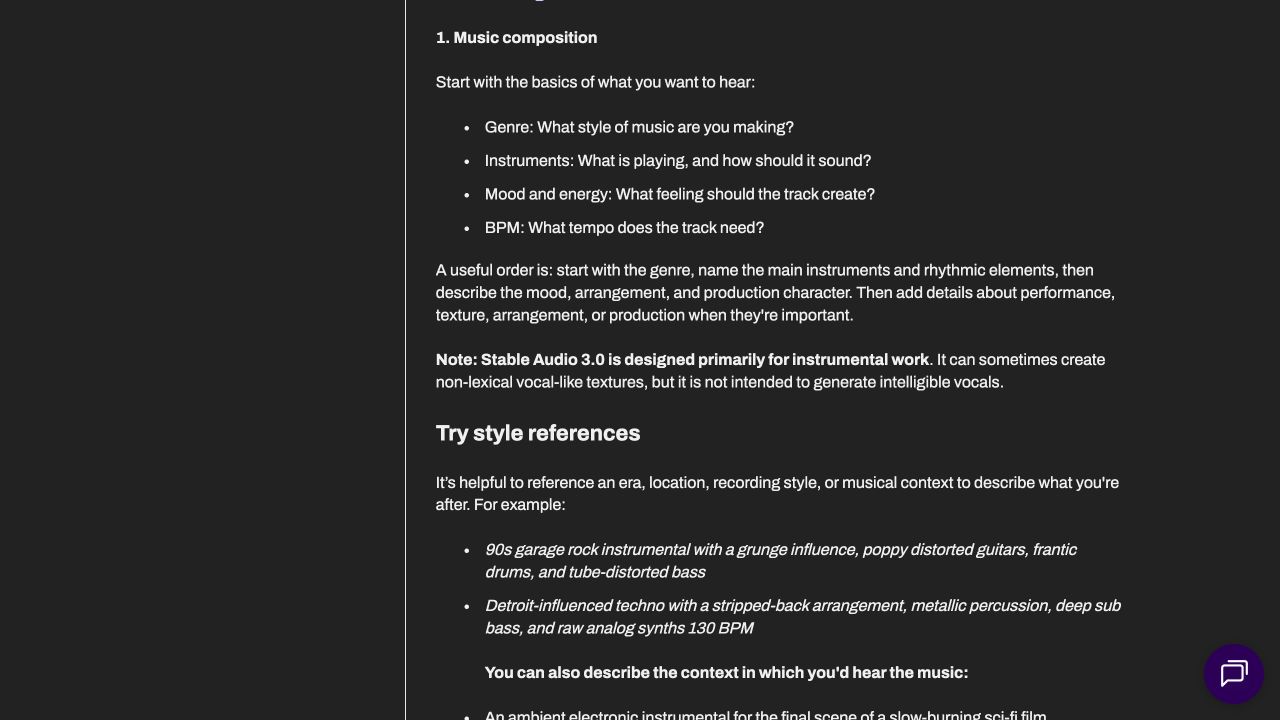
Stable Audio is primarily designed for instrumental work and advanced sound design. Its strengths lie in generating musical pieces without vocals, creating specific audio textures, and manipulating existing audio through features like audio-to-audio transformation, inpainting, and continuation. While it may produce non-lexical, vocal-like textures, it is not intended for reliably generating custom, intelligible sung vocals.
Its prompt guide describes capabilities for generating music and samples, making it useful for creating background scores, sound effects, or experimental audio pieces where specific textures and instrumental arrangements are paramount. For instance, if you need to generate a specific ambient soundscape for a game or a unique instrumental track for a podcast, Stable Audio's focus on instrumental generation and sound design tools can be highly effective. For a short film requiring a rain-textured instrumental cue with a clean ending, Stable Audio's focus on instrumental generation and sound design makes it a strong candidate.
Choosing the right tool for your project
To illustrate the distinct strengths of each tool, consider these two creative briefs:
Project A: The Serene Rain Instrumental
- Goal: Create a 90-second instrumental track for a short film scene depicting a calm, reflective moment indoors during a rain shower. The track should feature gentle piano melodies, subtle string pads, and a prominent, realistic rain texture. It needs a clear, fading outro without any abrupt cuts.
- Recommendation: This brief directly aligns with Stable Audio's strengths in instrumental generation and sound design. Its ability to create specific textures like rain and manage audio continuity makes it suitable for crafting a nuanced, atmospheric instrumental cue.
Project B: The Personalized Birthday Song
- Goal: Generate a one-minute birthday song for a friend named Alex. The lyrics must explicitly mention 'Happy Birthday, Alex!' and include lines about their love for hiking and coffee. The song should have an upbeat, acoustic pop feel.
- Recommendation: This project requires specific, intelligible lyrics to be sung within a complete song structure. Words into Music's core functionality of generating songs from supplied lyrics, with editable drafts and musical direction, makes it the appropriate choice for delivering a personalized, vocal-driven message.
Comparing features and costs
| Decision | Words into Music | Stable Audio |
|---|---|---|
| Starting point | An idea or supplied lyrics | Text or existing audio, depending on mode |
| Main output | A complete song with vocals and music | Instrumentals, textures and sound effects |
| Revision | Edit lyrics before generating audio | Audio-to-audio, inpainting and continuation |
| File access | MP3 in your private library | Check hosted product, API or model terms |
| Cost to understand | One free song total; plans and packs | Access path and usage determine cost |
| Best fit | A personal song without a production setup | Instrumental composition and sound design |
Understanding the pricing and usage limits is important for planning your projects.
Words into Music offers a tiered approach:
- Free Account: One song total, shared across the website, tools, and connected assistants. No credit card required, but no daily refill. All free songs include MP3 downloads.
- Monthly Starter: USD $9.99 for 30 songs.
- One-time Pack: A 20-song pack for USD $9.99, requiring no subscription.
Check the current hosted service, API or model offer separately. Their access rules and costs are not interchangeable, and a model licence does not establish an allowance in the hosted app.
Understanding distinct applications
Words into Music and Stable Audio are not direct substitutes for each other. They address different needs within the broader field of AI audio generation. Words into Music is a specialized tool for vocal-centric song creation, focusing on the clarity and integration of human language into music. Its workflow is optimized for songwriters and anyone needing to express specific lyrical content.
Stable Audio, on the other hand, is a specialized tool for instrumental composition and advanced audio manipulation. Its capabilities are geared towards sound designers, film composers, and producers who require precise control over textures, samples, and instrumental arrangements without the need for intelligible vocals. Attempting to use Words into Music for complex sound design or Stable Audio for custom sung lyrics would likely lead to unsatisfactory results, as each tool is optimized for its distinct purpose.
Considering your workflow
If you are considering Words into Music or Stable Audio, keep in mind that direct file or melody migration is not supported between them. Consider these points:
- Identify your primary need: Do you need clear, custom sung lyrics, or instrumental tracks and sound design? This is the most critical factor.
- Review existing projects: What kind of audio have you been creating? If it is mostly instrumental, Stable Audio might be your current fit. If it is lyric-driven, Words into Music is likely your solution.
- Evaluate language requirements: If your projects require songs in multiple languages (English, Spanish, German, French, Brazilian Portuguese), Words into Music offers this capability.
- Consider workflow: Words into Music offers a browser-based experience for song creation. Stable Audio offers hosted app, API, and open model access, which might appeal to different technical workflows.
- Understand limitations: Words into Music does not offer stems, MIDI, voice cloning, or audio uploads. Stable Audio does not reliably produce intelligible vocals. Be aware of what each tool does not do.
- Pricing and usage: Compare the cost structures and song or generation limits to ensure they align with your anticipated usage volume.
Why Stable Audio remains a strong choice
Despite the strengths of Words into Music for lyric-driven songs, there are compelling reasons to continue using Stable Audio, especially if your projects align with its core capabilities:
- Advanced sound design: If your work involves intricate soundscapes, experimental audio, or specific audio textures, Stable Audio's features like audio-to-audio, inpainting, and continuation are invaluable.
- Instrumental focus: For film scoring, game audio, or background music where vocals are not desired, Stable Audio provides a dedicated environment for instrumental generation.
- API and open model access: For developers or users who prefer integrating AI audio generation into custom workflows or local environments, the availability of API and open model access for Stable Audio offers significant flexibility.
- Non-lexical vocal textures: If you specifically need vocal-like sounds that are not intended to be intelligible words, Stable Audio can generate these unique textures for creative effect.
Ultimately, the choice between Words into Music and Stable Audio hinges on whether your creative vision requires the power of intelligible, custom lyrics or the flexibility of advanced instrumental and sound design capabilities. For those ready to turn their Words into Music, explore the possibilities at Words into Music.
To begin creating your own lyric-driven songs, visit our creation page at Make a song.
Further reading: How to Turn Lyrics into a Song
Browse all music-tool comparisons.
Product information checked October 17, 2026: Stable Audio official information.
Frequently asked questions
Can Words into Music generate songs with my specific lyrics?
Yes, Words into Music is designed to generate complete songs from your supplied lyrics or an idea. You can edit the lyric draft before audio generation to refine the outcome.
Is Stable Audio suitable for creating songs with clear, sung vocals?
Stable Audio is primarily designed for instrumental work and sound design. While it may produce vocal-like textures, it is not intended for generating intelligible, custom sung vocals.
What kind of audio projects is Words into Music best for?
Words into Music is ideal for projects requiring full songs with vocals, such as personal messages, demos, or creative songwriting. It supports musical direction and language selection for varied outputs.
What are the primary uses for Stable Audio?
Stable Audio is well-suited for generating instrumental cues, sound effects, and experimental audio. Its capabilities include audio-to-audio transformation, inpainting, and continuation for sound design.
Does Words into Music offer different pricing tiers?
Yes, Words into Music offers a free account for one total song, monthly subscriptions (Starter, Creator, Studio), and a one-time 20-song pack. All include MP3 downloads.
Can I migrate my existing audio files or melodies between these platforms?
Neither platform offers direct migration of existing audio files or exact melody preservation. Each tool generates new audio based on its specific input methods and capabilities.