When exploring AI music tools, understanding their core strengths is essential. For a beginner aiming to generate a complete, sung song from an idea or lyrics, Words into Music offers a direct path to a finished track. If your goal is to experiment with instrumental arrangements and customize a track, Boomy's focus on creation and customization may align better with that workflow.
Words into Music publishes this comparison and sells one of the products discussed. We reviewed official public pages on October 17, 2026. We did not run a matched listening test or paid competitor tests. Vendor demos are not our own test results.
Generating a sung message with Words into Music
Words into Music is designed for users who want to turn an idea or lyrics into a complete song with AI-generated vocals. This makes it a suitable choice for creating a "hands-off birthday song" or similar personal messages. You provide the lyrics, choose a musical direction, and select a language. The platform then generates a one to three-minute recording.
The process begins with an editable lyric draft, allowing you to refine your words before audio generation. Once created, songs are stored in a private library, can be marked as favorites, and are available for playback and MP3 download. This streamlined workflow prioritizes getting a complete, sung track quickly.
Words into Music supports five languages: English, Spanish, German, French, and Brazilian Portuguese. This language flexibility is useful for diverse projects or personalized messages.
Access to Words into Music includes a free account for one song total, shared across the website, tools, and connected assistants, without requiring a credit card. For more songs, monthly subscriptions are available: Starter (30 songs for USD $9.99), Creator (65 songs for $19.99), and Studio (150 songs for $39.99). A one-time 20-song pack is also available for $9.99, requiring no subscription. MP3 downloads are included with all generated songs.
Exploring instrumental arrangements and customization
For users interested in experimenting with arrangements and customizing tracks, Boomy's approach may offer more options. Boomy's support topics highlight "creation" and "customization" as core features, suggesting a workflow where users can build and modify instrumental elements. This could involve selecting different sounds, adjusting parameters, or arranging sections of a track.
While Words into Music allows for high-level "musical direction" choices, Boomy's emphasis on "customization" implies a more granular control over the instrumental composition. This distinction is important for a beginner who wants to explore how different musical elements fit together.
Vocal integration: AI-generated versus your own voice
The scenario mentions a desire to "add their own recorded vocal." This is a key differentiator. Words into Music generates complete songs with AI-sung vocals based on your provided lyrics. It does not offer voice cloning, audio uploads, or any feature to incorporate a user's pre-recorded voice into the generated track. The vocals are an integral part of the AI generation process.
Boomy's Auto Vocals guide describes generating vocal lines from a short audio phrase or sample. You can upload a WAV recording or record directly on your device. Its rules allow your own voice or music you created, rather than someone else's copyrighted recording. That gives a musician with recorded material a different starting point from Words into Music, which creates a new sung performance from text and does not accept voice uploads.
Cost and access
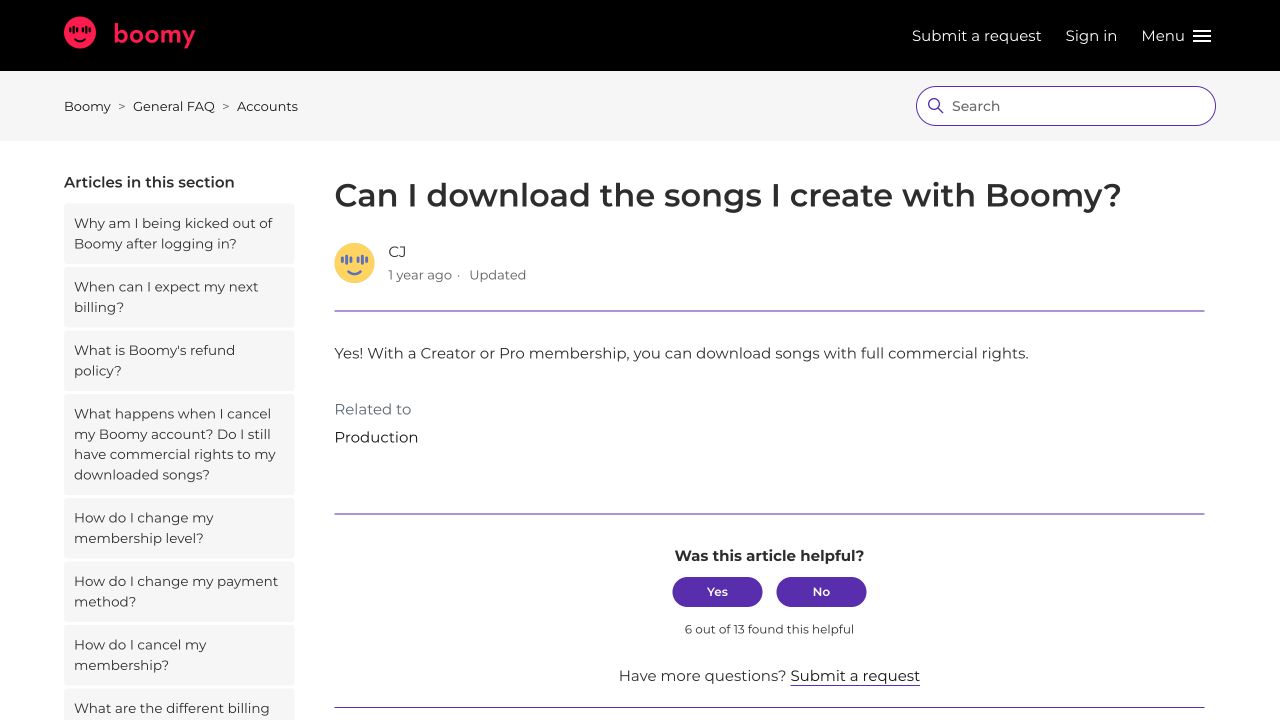
Words into Music provides a free account for one song total, with MP3 downloads included. Paid plans offer more songs and downloads. Boomy's download help states that Creator or Pro membership enables downloads with commercial rights. This implies that free users may not have access to downloads or commercial rights. Check the current Creator and Pro offers before budgeting for exports.
Understanding tool limitations
It is important to recognize what these tools are not designed for. Words into Music does not offer stems, MIDI upload or export, section audio replacement, a built-in distributor, video maker, collaborative DAW features, exact melody preservation, or a native mobile app. It focuses on generating complete, sung songs. While a generated result may need another attempt to achieve the desired outcome, the platform does not promise exact lyrics or pronunciation, and terms apply regarding copyright ownership.
Saving a song, downloading it and submitting it for release are separate steps. If you want to distribute a recording, check the current release process and the rights attached to your membership.
Choosing between Words into Music and Boomy
Words into Music is a strong choice if your primary goal is to:
- Quickly generate a complete song with AI-sung vocals from lyrics or an idea.
- Create personalized messages, like a birthday song, without needing to record your own voice.
- Experiment with different musical styles and languages for your lyrics.
- Get MP3 downloads of your generated songs directly.
For more on turning lyrics into songs, you can read our guide on how to turn lyrics into a song.
Boomy could be a better fit if your focus is on:
- "Creation" and "customization" of instrumental tracks, implying more hands-on control over arrangements.
- Exploring different musical elements and building a track from the ground up.
- The potential for distribution, as its support topics mention "distribution topics" and commercial rights with paid memberships.

Suggested test: a birthday song for a friend
To understand the workflow of Words into Music, consider this test:
Brief: Create a short, upbeat birthday song for a friend named Alex, who loves rock music. Lyrics: "Happy birthday, dear Alex, another year so grand! May your day be filled with joy, the best in all the land! Rock on, Alex, rock on strong, may your melodies play long!" Musical Direction: Upbeat Rock Language: English
With Words into Music, you would input these lyrics, select "Upbeat Rock" as the musical direction, and generate the song. The platform would then provide a complete, sung track. This process directly addresses the "hands-off birthday song" aspect of the scenario.
Comparison table: Words into Music vs. Boomy
| Decision | Words into Music | Boomy |
|---|---|---|
| Starting point | An idea or supplied lyrics | Creation and customization tools |
| Main output | A complete song with vocals and music | Song options and production projects |
| Revision | Edit lyrics before generating audio | Arrangement/customization workflow |
| File access | MP3 in your private library | Creator or Pro required per download help |
| Cost to understand | One free song total; plans and packs | Saved options and downloads are different |
| Best fit | A personal song without a production setup | Exploring and developing tracks |
To begin creating your own AI-sung songs, visit our creation page.
Browse all music-tool comparisons.
Product information checked October 17, 2026: Boomy official information.
Frequently asked questions
How does Words into Music support beginners creating songs, compared to Boomy?
Words into Music generates a new sung recording from lyrics and musical direction. Boomy has a creation and customization workflow, with separate vocal tools described in its support centre.
Which platform is better for a quick, hands-off birthday song?
Words into Music is well-suited for generating quick, AI-sung songs from lyrics, making it ideal for hands-off personal messages like birthday songs. Boomy's strength lies more in instrumental arrangement and customization.
Can I download songs from Boomy for commercial use?
Boomy's support indicates that Creator or Pro membership enables downloads with commercial rights. Check your membership before relying on a downloadable file.
Does Words into Music allow me to add my own recorded vocals?
No, Words into Music generates songs with AI-sung vocals based on your provided lyrics. It does not support uploading or integrating your own recorded voice into the tracks.
What are the key steps to create and export a song with Boomy?
Check generation, saving, downloads and release submission as separate stages. A saved song or release submission does not automatically establish that your membership includes the file export you need.
What languages does Words into Music support for song generation?
Words into Music supports song generation in five languages: English, Spanish, German, French, and Brazilian Portuguese. This allows for diverse linguistic song creation.